
ArticleUpdated: September 6, 2026
8 tips for beginners in Zbrush
In short
Eight places where a ZBrush beginner gets stuck on flat ground. The object will not edit, stray bodies hang in the scene, the model looks smooth at a low polygon count, the form goes doughy. The school curators explain which key fixes each case and why some actions cannot be undone.

Skills Up School
Online school of drawing and CG
User: We with the curators of Skills Up School have collected some useful tips for all beginners working in the Zbrush program. So that you can avoid mistakes and quickly cope with minor difficulties.
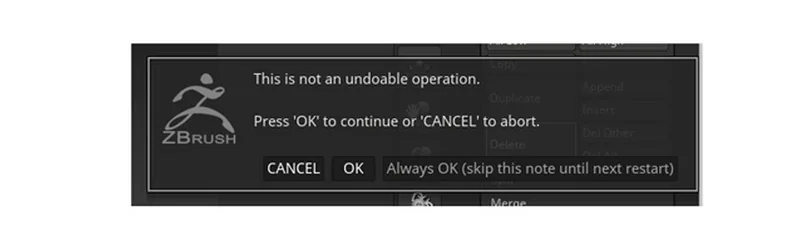
1) Be sure to read what errors and warnings Zbrush issues. Some actions in the program cannot be undone.
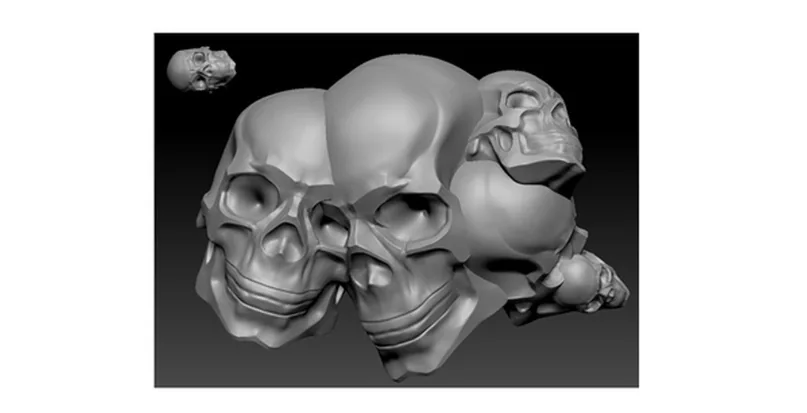
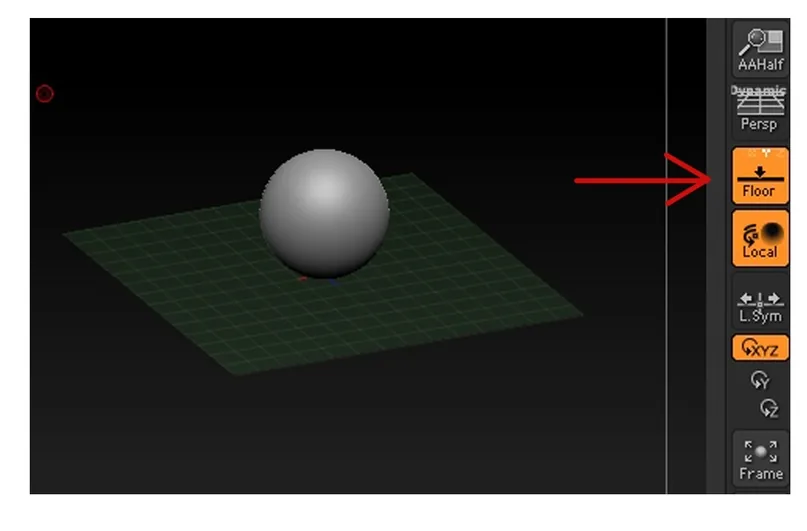
 2) If suddenly you have extra objects in the workspace that do not rotate with the viewport, then try pressing ctrl+n. After that, the workspace will be cleared of unnecessary items.
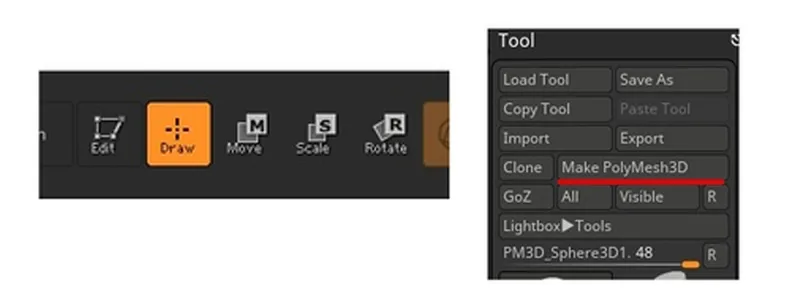
 3) If the object is not editable, then it is worth checking several points:
- Is editing enabled?
- Has the freshly created simple form been converted to polymesh3d?
3) If the object is not editable, then it is worth checking several points:
- Is editing enabled?
- Has the freshly created simple form been converted to polymesh3d?
2) If suddenly you have extra objects in the workspace that do not rotate with the viewport, then try pressing ctrl+n. After that, the workspace will be cleared of unnecessary items.
3) If the object is not editable, then it is worth checking several points:
- Is editing enabled?
- Has the freshly created simple form been converted to polymesh3d?
Related courses
All courses
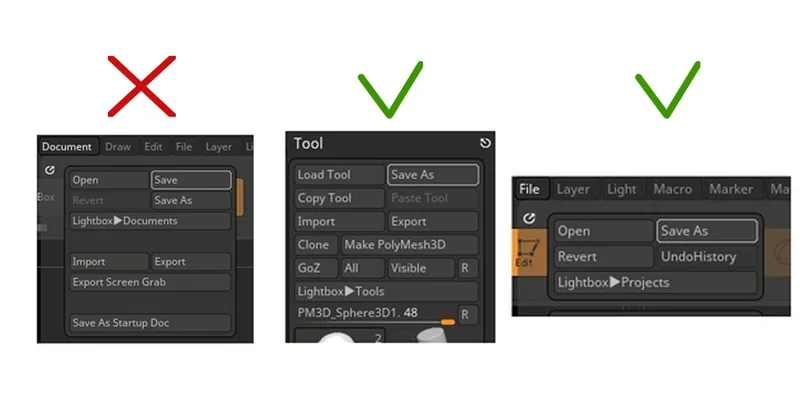
4) It is important to save the file correctly: through the menu file/save as (keyboard shortcut ctrl+s. Zbrush also asks for saving the file before closing) or in the Tool save as menu. Saving the Zbrush document in a file will only give you a snapshot of your model, like a screenshot. It is also important that the file names and paths to them are in Latin.
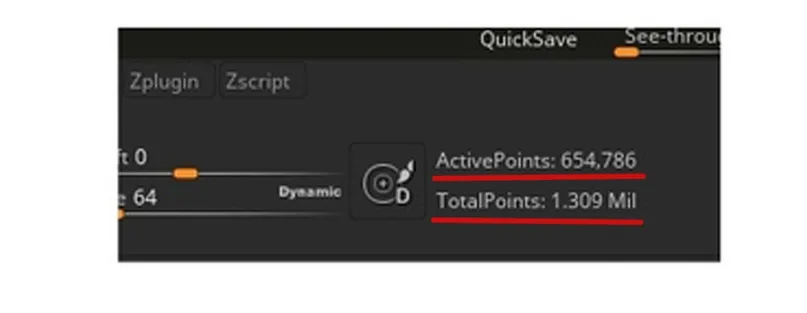
 5) Keep track of how many polygons are in your model. The numbers show how many polygons the selected part (Active Points) has and how many polygons the entire model (Total Points) has.
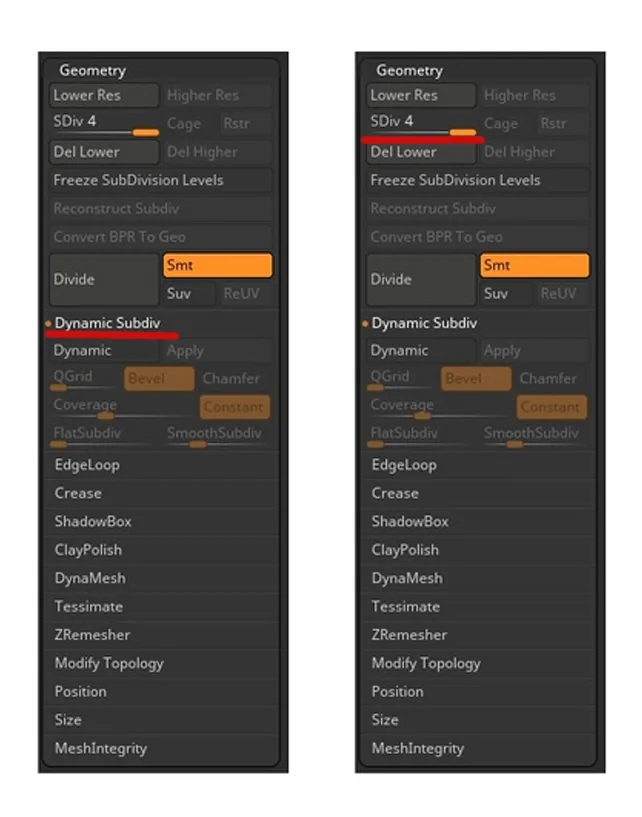
 6) If suddenly there are not enough polygons, but the model is very smooth, and the computer slows down when working with it – perhaps you have enabled the dynamic subdiv function. (illustration) Its hotkey is very simple: the D key.
7) Be sure to use subdivs. Their correct use and the hPolish brush will save you from the "dumplininess" of the model.
6) If suddenly there are not enough polygons, but the model is very smooth, and the computer slows down when working with it – perhaps you have enabled the dynamic subdiv function. (illustration) Its hotkey is very simple: the D key.
7) Be sure to use subdivs. Their correct use and the hPolish brush will save you from the "dumplininess" of the model.
 Be careful and may the force be with you)
P.S. And when you hover over any element of the interface with the ctrl key held down, its description pops up)
Be careful and may the force be with you)
P.S. And when you hover over any element of the interface with the ctrl key held down, its description pops up)
5) Keep track of how many polygons are in your model. The numbers show how many polygons the selected part (Active Points) has and how many polygons the entire model (Total Points) has.
6) If suddenly there are not enough polygons, but the model is very smooth, and the computer slows down when working with it – perhaps you have enabled the dynamic subdiv function. (illustration) Its hotkey is very simple: the D key.
7) Be sure to use subdivs. Their correct use and the hPolish brush will save you from the "dumplininess" of the model.
Be careful and may the force be with you)
P.S. And when you hover over any element of the interface with the ctrl key held down, its description pops up)Related materials

Article
5 tips for a budding environmental artist
September 18, 2023
Tutorial
Sketching for beginners
January 30, 2024
Article
3 tips for a beginner character artist. How to draw emotions
September 18, 2023
Article
Step-by-step guide to modeling in ZBrush. Part 1
September 18, 2023
Article
Free brushes for ZBrush: brush sets
September 18, 2023

Tutorial
Zbrush lesson for beginners
December 23, 2024