
ArticleUpdated: September 6, 2026
What to start learning 3D modeling with
In short
3D modelling starts with choosing a specialisation: modeller, sculptor, texture artist, animator, rigger or lighting artist. That decides both the software and what to learn first. Then the methods of building models, the pay and the order of the first steps.

Skills Up School
Online school of drawing and CG
Your first step into the world of 3D modeling
Welcome! Since you're here, the incredible world of three-dimensional graphics beckons to you. Anything is possible here: you can create your own universes, bring characters to life, build cities, and turn fantasies into reality. Let's figure out together how to start this exciting journey and what you will need for a confident start.What is 3D graphics and modeling?
3D graphics is a way to visualize objects and scenes in three-dimensional digital space. These are not just images, but real models that can be rotated, scaled, and animated. And 3D modeling is the process of creating such objects. Imagine that you are a sculptor, but instead of clay, you have a digital tool. This is a process where every point, every facet, and every line work together to create something amazing. Interesting: Did you know that 3D models are used not only in games and movies, but also in medicine, science, education, and even space research?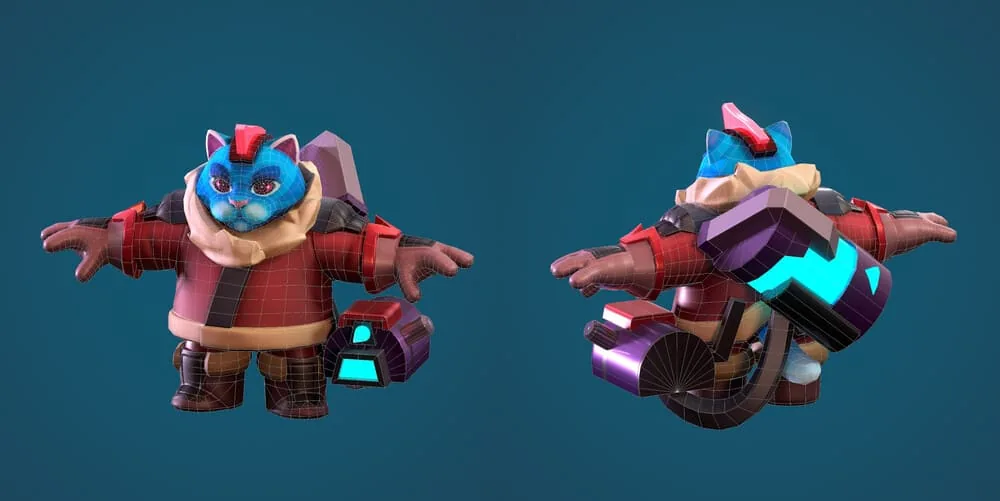 Author — Sergey Meshcheryakov
Main fields of 3D modeling application
1. Video games
Three-dimensional worlds are the foundation of almost any modern game. All characters, buildings, weapons, and even the water in the river are created using 3D. Even games that look completely 2D-rendered often use three-dimensional graphics! Example: In games like The Last of Us or Horizon Zero Dawn, every detail—from the texture of the ground to the facial expressions of characters—is the work of 3D artists in various fields.2. Film industry
3D technologies allow you to bring fantastic worlds to life and create effects that cannot be shot in reality. Example: Dragons in "Game of Thrones" and dinosaurs in "Jurassic Park" are masterpieces of 3D graphics.3. Design and architecture
Architects and designers use 3D to visualize projects before their implementation. Insight: Want to see what your future kitchen will look like? A 3D model will show you everything down to the smallest detail.4. 3D printing
With a 3D printer, you can turn a digital model into a real object—from mechanism parts to jewelry. Tip: Why not create your own figurine for a board game?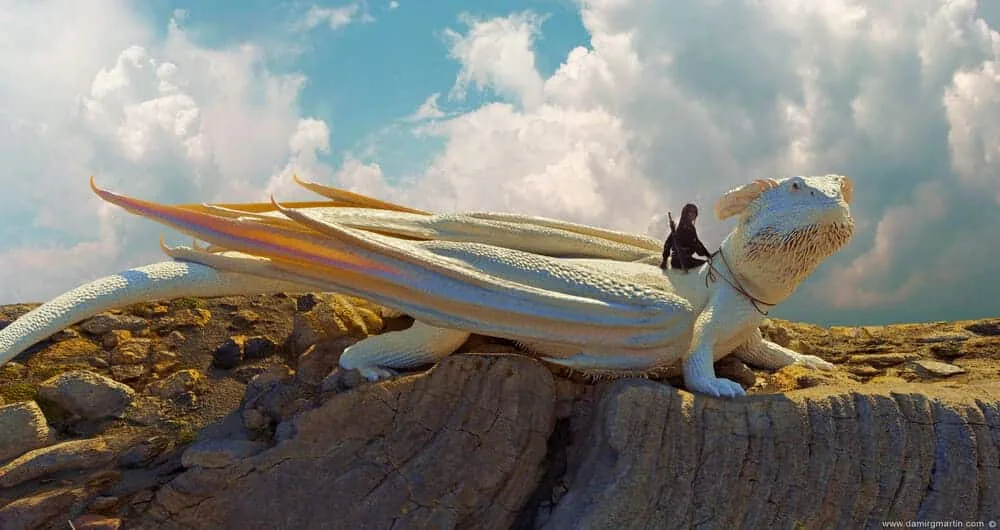 Author — Damir G. Martin
Methods of creating 3D models
1. Polygon modeling
This method is based on manipulating points, edges, and faces. It is the most popular method used to create solid game objects and architecture. 2. Sculpting Imagine that you are sculpting from plasticine. Only instead of clay, you manipulate a mass of vertices and polygons. This method is ideal for creating organic forms—people, animals, plants, stones, and much more. Example: In sculpting, you can work out every fold in a character's clothing or the texture of a dragon's skin, create elegant forged elven armor. Useful video: how to model a bug in 3D correctly3. Photogrammetry
Related courses
All courses
from 3 750 ₽
-25%
My first figure
5 000 ₽3 750 ₽
Learn more

from 4 950 ₽
-45%
Book illustration: The first page
9 000 ₽4 950 ₽
Learn more
from 4 950 ₽
-45%
Prop concept: render and atmosphere
9 000 ₽4 950 ₽
Learn more
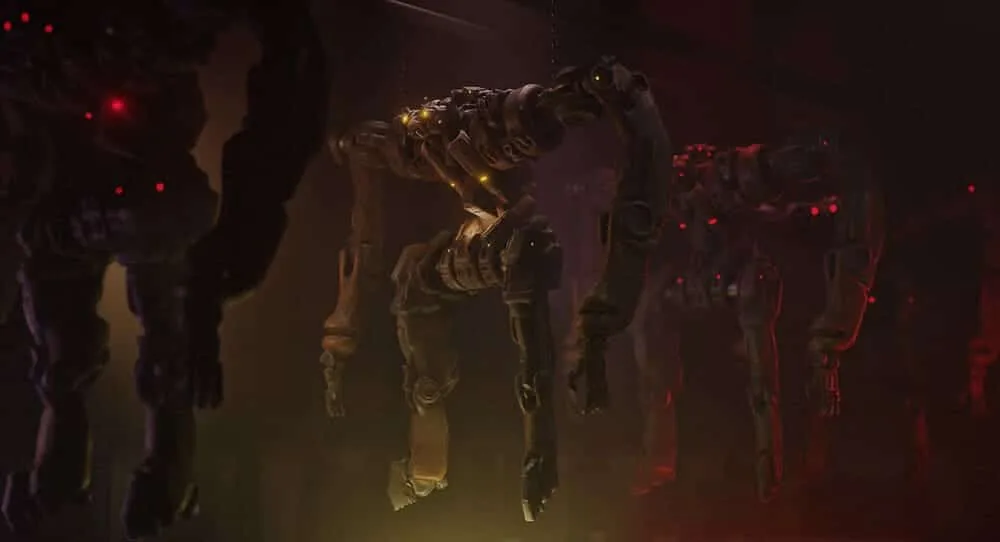
Using photographs, an accurate digital copy of a real object is created. This method is often used in games and movies to accelerate the production of realistic graphics.
 Author — Sergey Lyubashin
4. Artificial intelligence
Neural networks can already create 3D models from descriptions or photographs. For now, these technologies require refinement, but they are the future.
Author — Sergey Lyubashin
Who is a 3D artist?
A 3D artist is a specialist who creates three-dimensional models, textures, animations, and visualizations for various industries: games, cinema, advertising, architecture, and industry. Very useful video: Who is a 3D artist, gamedev and moreMain specializations:
- Modeler: Creates basic forms and complex 3D models of objects. Often, this position implies the ability to make a finished model from start to engine loading.
- Sculptor: Skillfully sculpts models from scratch or from blanks—from basic masses to details.
- Texture artist: Adds realistic materials and textures.
- Animator: Responsible for the movement and emotions of characters.
- Rigger: Sets up skeletons and connections for animation.
- Visualizer: Specializes in creating finished images and videos using lighting and rendering.
Skills and qualities needed for a 3D artist
- Technical: Knowledge of programs (Blender, Maya, ZBrush), understanding of working with a polygonal mesh (modeling and retopology), texture maps, and rendering.
- Artistic: Knowledge of the laws of composition, color, anatomy, and light.
- Soft skills: Ability to work in a team, manage time, and adapt to tasks.
How much does a 3D artist earn on average?
A 3D artist's earnings depend on experience, specialization, and region:- Beginners (Intern, Junior): from 40,000 to 70,000 ₽ per month.
- Experienced (Middle): from 70,000 to 100,000 ₽.
- Experienced (Senior, Lead): from 100,000 to 250,000 ₽ (sometimes more).
- Freelancers: 3D artists can earn from 5,000 ₽ per model to several hundred thousand for complex models and scenes.
First steps in learning 3D modeling
Determine the goal
- For creativity: If you want to explore 3D for yourself, start with simple tools like Blender or Nomad Sculpt (available on iPad).
- For work: Want to become a professional? Then study specialized programs: ZBrush for sculpting, Substance Painter for textures, or Maya for modeling and animation.
Choose a program
- Blender: A free and versatile tool for modeling.
- ZBrush: Industry standard for sculpting.
- Cinema 4D: Suitable for motion design.
How to start your first project?
Start with something simple. Find an object in your environment: a cup, a mouse, or a book—and try to create it in 3D. Focus on the main forms, avoiding small details. Such training will help you understand not only the basic functionality of the program but also extremely important aspects for any artist—shape, composition, proportions. Feature: Set a timer for 30-45 minutes. This will help you concentrate and avoid unnecessary perfectionism.How much time will it take?
- Basic level: Creating simple (but very nice) models for rendering—2-4 weeks with daily practice.
- Intern, Junior: Creating optimized game models according to the PBR pipeline, filling a portfolio—from 3 to 9 months of regular classes.
- Professional level: Confident work with 3D, independent solution of a wide range of tasks (including in-depth study of engines and animation)—from 1 year of very intensive practice to ∞. Perfection has no limit :)
- 3D printing: 3-6 months to understand the technical nuances.
Useful resources for learning
- Polyhaven.com: A huge library of textures and models.
- Quixel Bridge: Photogrammetric resources from Epic Games.
- Textures.com: Textures for every taste.
Don't be afraid to start!
Useful video: Review of the course 3D-basic by Yulia Nekrasova Errors are normal. Every professional was a beginner and went through the same difficulties. The main thing is not to stop. Your efforts will definitely bear fruit. And remember: the first step in 3D is the path to unlimited possibilities!Take the first step into 3D with us
Are you inspired by the world of 3D graphics, but don't know where to start? The hardest part is the first step. We have prepared a free online course that will help you master the basics of 3D modeling and create your first 3D model. What awaits you on the course:- Practical work in Blender—master the basic tools and apply them right away.
- Creating a 3D character based on the game Animal Crossing.
- Online format with a curator who will help you understand the material.
- Community support and chat to communicate with other participants.
Related materials
What to start drawing with?
December 20, 20240
Drawing faces of people of different ages
December 26, 20230
Step-by-step guide to modeling in ZBrush. Part 1
September 18, 20230
Frontal perspective in drawing
October 1, 20250

Statics and dynamics in drawing: creating mood and movement
March 24, 20250
About color and light in simple language: a comprehensive guide
March 21, 20250