
TutorialUpdated: September 6, 2026
How to draw a stylized coin
In short
A coin is built from a circle. Rim, struck relief, light and shadow, highlights and reflections, a wear effect and colour correction — drawing a coin comes together over eight steps. A small exercise in metal and fine relief.

2D artist
Do you know that a stylized coin is not just a round piece of metal? It can become a key element in your drawing, adding brilliance and grace to the composition. Today we will look at how to create a stylish coin in digital format. Let's get started!
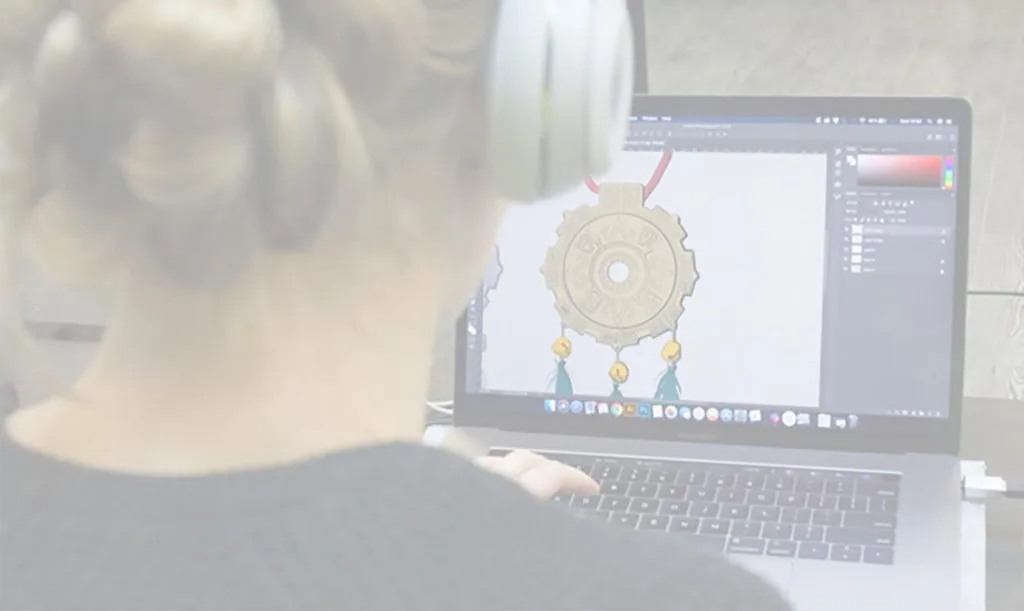
Step-by-step lesson: how to draw a coin in a stylized form
Step 1: Basic circle
Let's start simple — draw a basic circle.- Take the "Oval area" tool (or any other shape), holding down Shift to create a perfect circle.
- Fill it with a golden or silver color, depending on the chosen metal type.
Step 2: Adding a rim
A coin without a rim is just a round pancake. Let's give it some character!- Inside the main circle, draw another one, slightly smaller.
- Fill it with a color that is a tone darker or lighter than the base.
- This will create the effect of a protruding edge.
Step 3: Relief pattern
At this stage, create a unique pattern or symbol for your coin:- Draw a silhouette in the center (for example, a coat of arms, a star, or just a letter).
- Use the "Pen" tool to create neat lines.
Related courses
All courses
from 3 750 ₽
-25%
My first figure
5 000 ₽3 750 ₽
Learn more

from 4 950 ₽
-45%
Book illustration: The first page
9 000 ₽4 950 ₽
Learn more

from 4 950 ₽
-45%
Prop concept: render and atmosphere
9 000 ₽4 950 ₽
Learn more
Funny idea: Why not draw a coin with your portrait on it? A slight exaggeration of the features will add comedy.
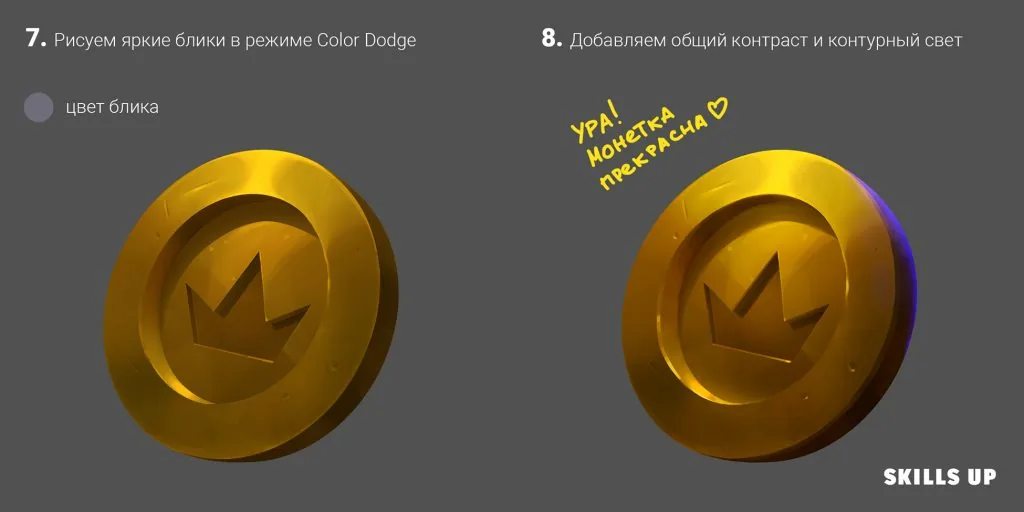 Now you have a shiny, stylized coin that can decorate any composition. Don't be afraid to experiment with shapes, colors, and textures. Who knows, maybe your next project will require a whole chest of such treasures?
Simple lesson for experimentation:
Try drawing a coin from another material, such as wood or magical stone. Add cracks, glowing symbols, or even gems. This approach will help develop your imagination and improve your texture skills.
Now you have a shiny, stylized coin that can decorate any composition. Don't be afraid to experiment with shapes, colors, and textures. Who knows, maybe your next project will require a whole chest of such treasures?
Simple lesson for experimentation:
Try drawing a coin from another material, such as wood or magical stone. Add cracks, glowing symbols, or even gems. This approach will help develop your imagination and improve your texture skills.
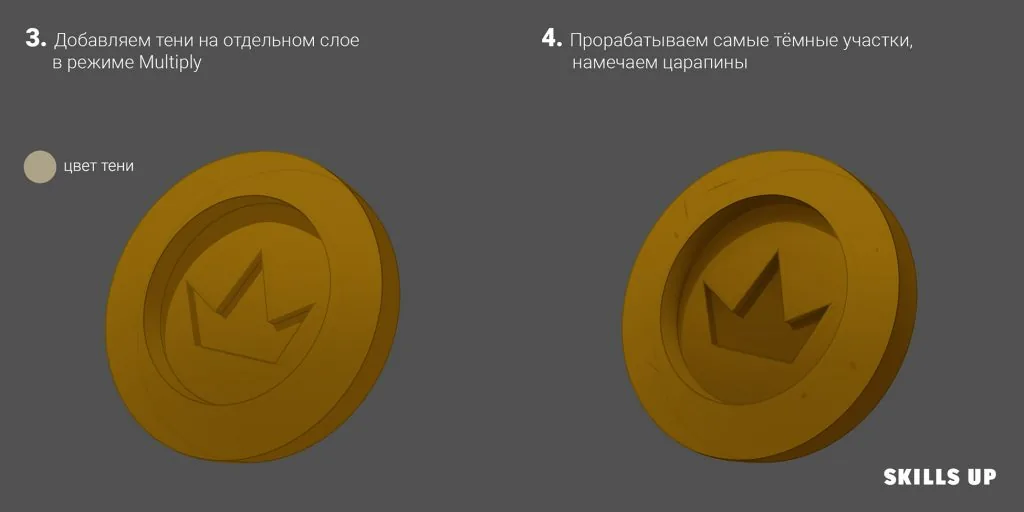
Step 4: Light and shadows
Now it's time to add volume:- Determine where the light is coming from.
- Add shadows to one side of the coin to show its thickness.
- Use a soft brush in "Multiply" mode for smooth transitions.
Step 5: Highlights and reflections
To make the coin look metallic, add highlights.- Draw light spots on those areas that are closest to the light source.
- Use the "Overlay" or "Screen" mode for a smooth effect.
Step 6: Wear effect
Coins are rarely perfect — add a little "life":- Draw small cracks, scratches, and spots.
- Use a textured brush to create a worn effect.
Step 7: Color correction
To make the coin more expressive, play with colors:- Add a light gradient to enhance the depth.
- Adjust the saturation and contrast.
Step 8: Final details
The finishing touch:- Add a thin strip of shadow under the coin to make it "break away" from the background.
- Erase unnecessary helper lines and adjust the overall brightness.
Now you have a shiny, stylized coin that can decorate any composition. Don't be afraid to experiment with shapes, colors, and textures. Who knows, maybe your next project will require a whole chest of such treasures?
Simple lesson for experimentation:
Try drawing a coin from another material, such as wood or magical stone. Add cracks, glowing symbols, or even gems. This approach will help develop your imagination and improve your texture skills.Related materials
Tutorial
How to draw a stone in a stylized form
September 18, 2023
Tutorial
How to draw a shell
September 18, 2023
Tutorial
How to draw hair with a pencil
July 30, 2026
Tutorial
Drawing stones
March 10, 2025
Tutorial
How to draw a child?
January 13, 2025
Article
3 tips for a beginner character artist. How to draw emotions
September 18, 2023